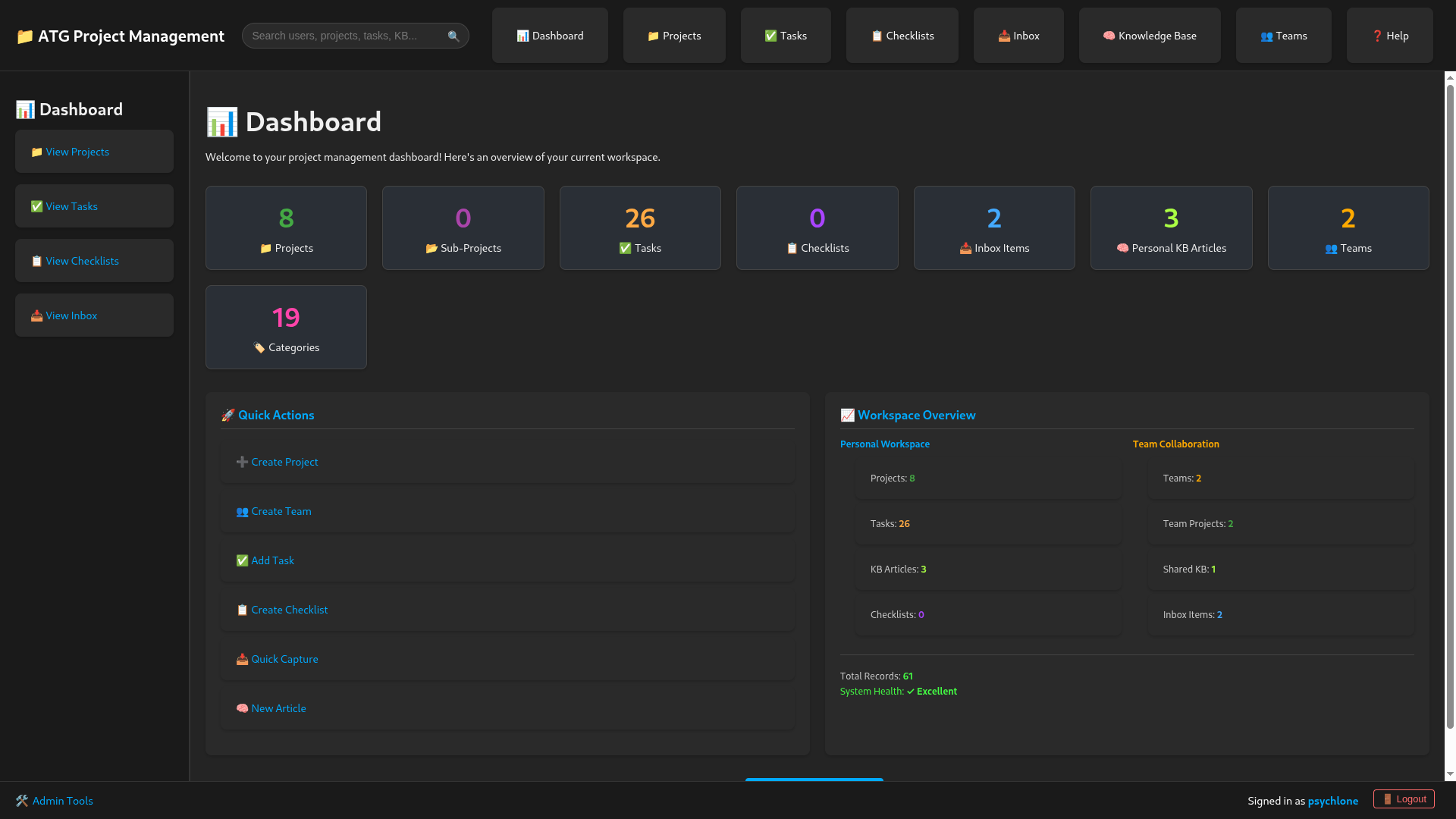
ATG Project Management
Active
Project Overview: Project Manager
The Project Manager is a sophisticated, full-stack personal and collaborative productivity system. It is designed to bridge the gap between "chaotic capture" of ideas and "structured execution" of projects. The system emphasizes extreme data privacy through a per-user database isolation strategy while providing robust collaborative features for teams.
1. Core Functions & Features
🗂️ Project & Task Management
- Hierarchical Structure: Supports nested Projects (Projects > Sub-projects) and nested Tasks (Tasks > Sub-tasks).
- Project Contexts: The entire UI (including sidebars and actions) adapts dynamically when entering a project or team context.
- Standalone Mode: Quick-entry lists for simple tasks and checklists that don't belong to a specific project.
- Drag-and-Drop: Visual reordering of projects, tasks, and checklist items.
- Versioning: Optimistic locking in team contexts to prevent data overwrite conflicts during concurrent editing.
🧠 Knowledge Base (KB)
- Hierarchical Documentation: Organize articles into nested categories.
- Markdown-First: Rich content editing and display with full Markdown support.
- Internal Linking: Automatic resolution of relative links between articles (e.g.,
[See More](other-article-slug)). - Search & Reference: Fast navigation for long-term knowledge storage.
📥 Inbox (The Capture Engine)
- Quick Capture: A grid/card-based interface for rapid entry of fleeting thoughts, links, or tasks.
- Promotion Flow: A unique workflow allowing users to "promote" raw inbox items into structured Projects, Tasks, or KB Articles.
👥 Collaborative Teams
- Team Spaces: Dedicated areas for collaboration with shared projects, tasks, and documentation.
- Access Control: Role-based permissions and user invitations.
- Profile Integration: Toggleable visibility of team memberships on public user profiles.
🛡️ Administrative Control
- Controlled Registration: Registration is restricted to users with admin-generated, one-time-use tokens.
- Data Governance: Tools for orphaned data cleanup, user management, and database resets.
2. Technology Stack
The project uses a modern, robust stack optimized for performance and data isolation.
Frontend (Client)
| Technology | Usage |
|---|---|
| React | Core framework for the Single Page Application (SPA). |
| Vite | Next-generation frontend tooling for fast builds and HMR. |
| React Router DOM | Manages complex client-side routing. |
| Axios | Robust HTTP client for REST API communication. |
| @dnd-kit | Powerful drag-and-drop primitives for UI reordering. |
| Markdown Tools | @uiw/react-md-editor and react-markdown for content creation. |
| Vanilla CSS | Custom, high-performance styling with a premium Dark Mode aesthetic. |
Backend (Server)
| Technology | Usage |
|---|---|
| Node.js & Express | Core server-side runtime and web framework. |
| JWT | Secure, stateless authentication and authorization. |
| Bcryptjs | Industry-standard password hashing. |
| Multer | Middleware for handling multipart/form-data (file uploads). |
| Dotenv | Secure environment variable management. |
Database Architecture (SQLite3)
The system uses a unique multi-tier storage strategy:
master.db: Centralized registry for users and registration tokens.users/<user_id>.db: Isolated personal databases for every user (strongest privacy).shared.db: A centralized collaborative database for all team-related data.
3. Design Aesthetics
- Theme: Premium Dark Mode (
#1a1a1aSidebar,#242424Main Body). - UX Paradigm: Contextual Fluidity. The Sidebar is not static; it "morphs" into a specialized toolbelt depending on whether the user is in their private space, a specific project, or a team workspace.
- Performance: Leverages SQLite's WAL (Write-Ahead Logging) mode and Vite's optimized build process for a snappy, responsive feel.